Compiling a Game Developed with Rust and Bevy Engine to the Web
The original text was written in Chinese in March 2021. In July 2025, it was translated into English using ChatGPT and manually proofread.
Background
In the previous article (Build a Minesweeper Game with Rust and Bevy Engine), I built a simple Minesweeper game using Rust and Bevy. This post gives a quick overview of the process to compile that desktop game into a web game.
Preparation
What is wasm?
In simple terms, WebAssembly (wasm) is a new way for modern browsers to run binary code in addition to JavaScript. It allows code from any language that supports this protocol to be compiled for the browser. Here’s a quote from MDN:
WebAssembly is a new type of code that can run in modern web browsers and provides new performance features and capabilities. It is not designed to be written by hand, but to be a highly efficient compilation target for low-level languages like C, C++, and Rust.
For web platforms, this is a huge deal—it gives client-side apps a way to run code written in many languages at near-native speed, something that wasn’t possible before. And you don’t have to know how to write WebAssembly yourself to use it. WebAssembly modules can be imported into web apps (or Node.js) and expose WebAssembly functions for JavaScript to use. JavaScript frameworks can use WebAssembly to get big performance boosts and new features, while keeping things easy for web developers.
Installation
By default, Rust does not include the wasm compilation target. For this, follow the instructions in Bevy’s example documentation.
To allow wasm modules to interact with JavaScript, you also need to install wasm-bindgen.
rustup target add wasm32-unknown-unknown
cargo install wasm-bindgen-cli
Process
Prepare the Webpage
Since we’re compiling the game as a web game, we definitely need an HTML file to host it. I just copied the example from Bevy’s wasm demo. Create a new index.html in your project’s root directory:
<html>
  <head>
    <meta charset="UTF-8" />
    <style>
      body {
        background: linear-gradient(
          135deg,
          white 0%,
          white 49%,
          black 49%,
          black 51%,
          white 51%,
          white 100%
        );
        background-repeat: repeat;
        background-size: 20px 20px;
      }
      canvas {
        background-color: white;
      }
    </style>
  </head>
  <script type="module">
    import init from './target/minesweeper.js'
    init()
  </script>
</html>
Right, so later we’ll put the generated JavaScript file in the target directory and name it minesweeper.js.
1
According to the documentation in the Bevy example, I should use
cargo build --target=wasm32-unknown-unknown
to compile the game for the web target. However, I ran into trouble the very first time I tried it:
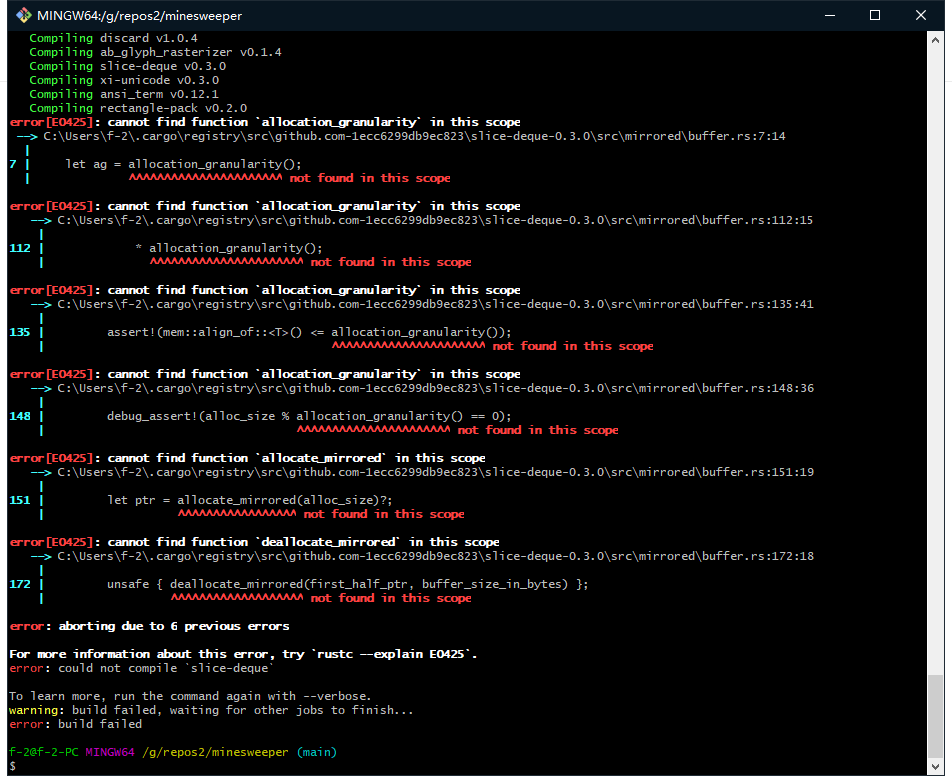
By checking the Cargo.lock file, I found
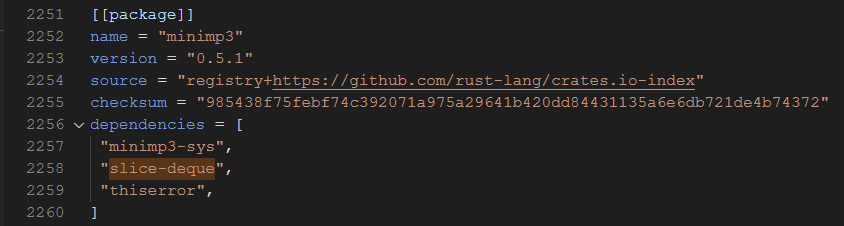
The error was caused by a module required by an audio library. Tracing the dependencies further up, I found it came from the bevy_audio module. I also noticed that in Bevy’s example commands:
cargo build --example headless_wasm --target wasm32-unknown-unknown --no-default-features
there is a step where the default features are disabled. After some Google searching, I learned that not all of Bevy’s features can be enabled when compiling to the wasm target (a lot of these issues come from upstream dependencies like this). The root of many of these dependency issues is that wasm still doesn’t have official Threads support. So, some adjustments are needed. Here’s what my current Cargo.toml looks like:
[dependencies]
rand = "0.8.0"
bevy = "0.4.0"
It needs to be changed to:
[dependencies]
rand = "0.8.0"
bevy = { version = "0.4.0", default-features = false, features = ["bevy_gilrs", "bevy_gltf", "bevy_wgpu", "bevy_winit", "render", "png", "hdr"] }
2
Next, I tried compiling again:
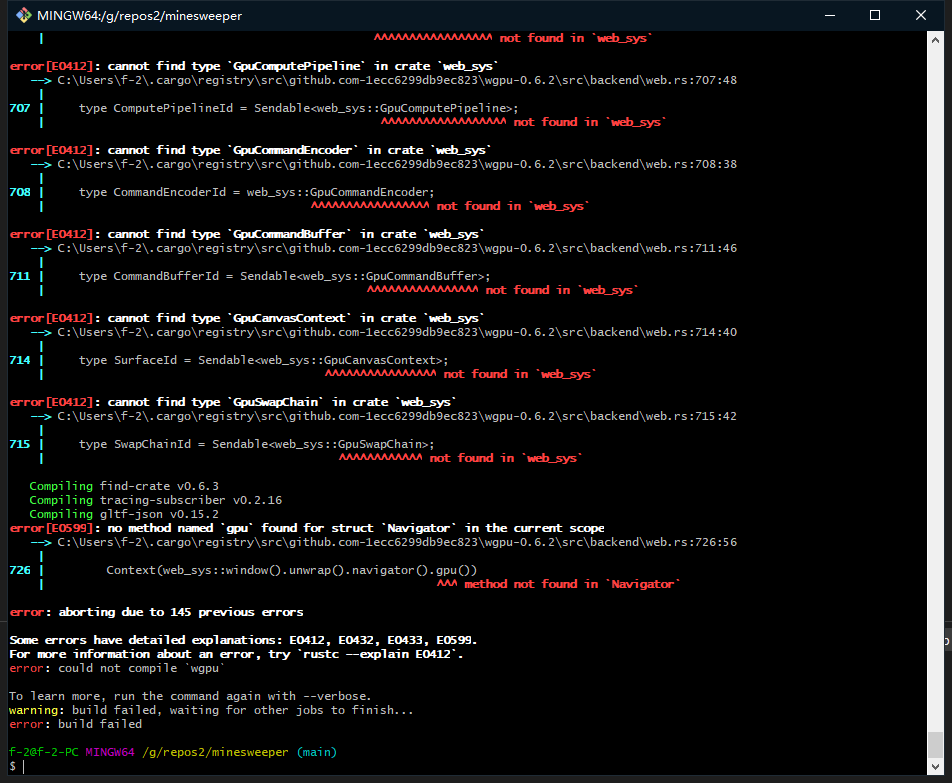
Wow, just wow—the number of errors exploded. Skimming through them, most seemed to be GPU-related. After more Googling, I found out that webgpu and browser support are still unstable, so bevy_wgpu can’t be compiled for wasm yet. One suggested workaround is to use WebGL2 instead, and fortunately, someone has already provided an alternative library called bevy_webgl2.
You can find the library source code at https://github.com/mrk-its/bevy_webgl2. To use it, you’ll need to make some changes to your project. One way is to simply replace Bevy’s DefaultPlugins with the DefaultPlugins from this library:
App::build()
    .add_plugins(bevy_webgl2::DefaultPlugins);
Another way is to use a patch (which is what I ended up doing):
pub fn game_app(config: GameConfig) {
    App::build()
        .add_resource(WindowDescriptor {
            // code here
        })
        .add_resource(config)
        .add_plugins(DefaultPlugins)
        .add_plugin(bevy_webgl2::WebGL2Plugin) // 这一行
        .add_plugin(GamePlugin)
        .run();
}
3
It finally looked like the compilation succeeded!
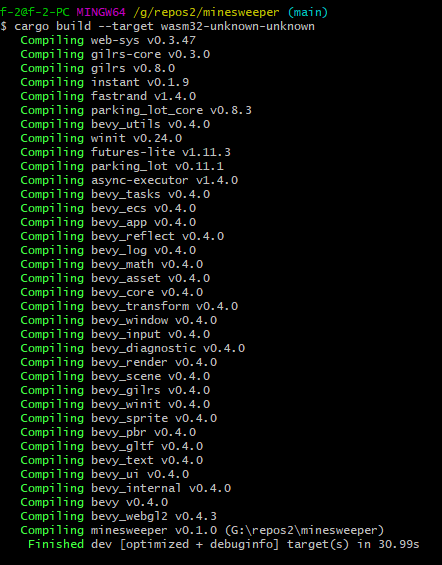
Next, run wasm-bindgen to generate the JavaScript files:
wasm-bindgen --out-dir ./target --target web target/wasm32-unknown-unknown/debug/minesweeper.wasm
Hmm, now there’s a version warning?
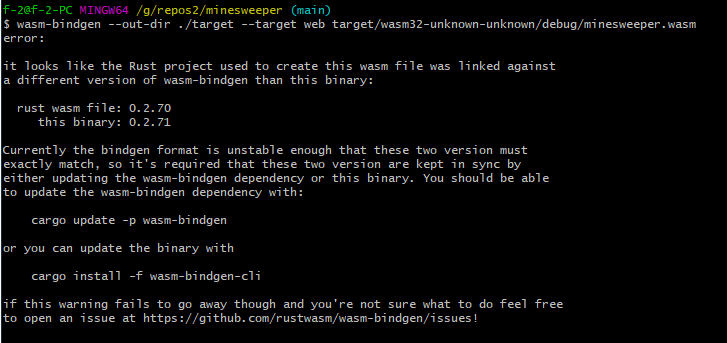
Instead of following the suggested command, I decided to downgrade my installed wasm-bindgen-cli:
cargo install wasm-bindgen-cli --version 0.2.70
After that, it worked.
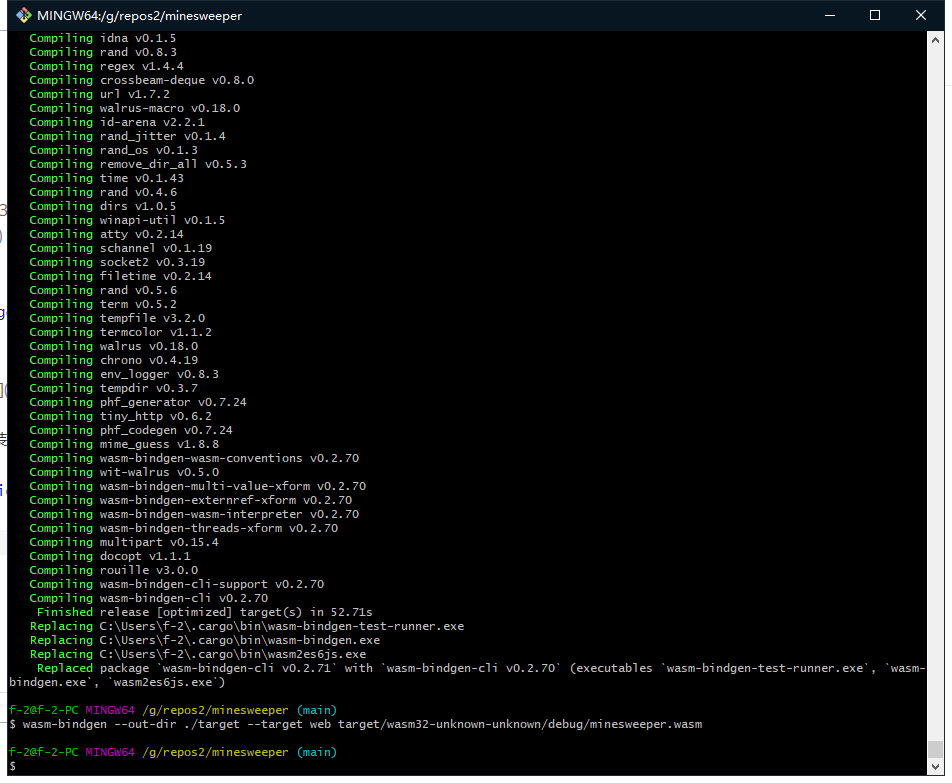
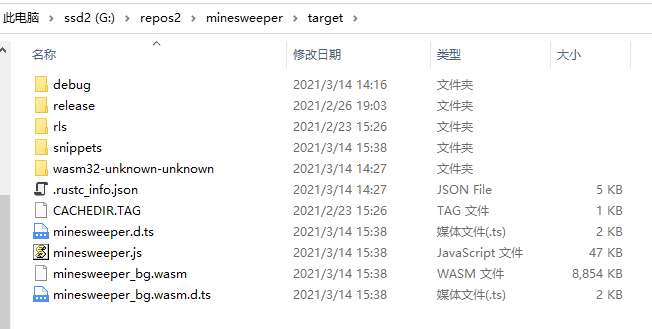
4
Everything’s ready. Next, open index.html and see what happens:
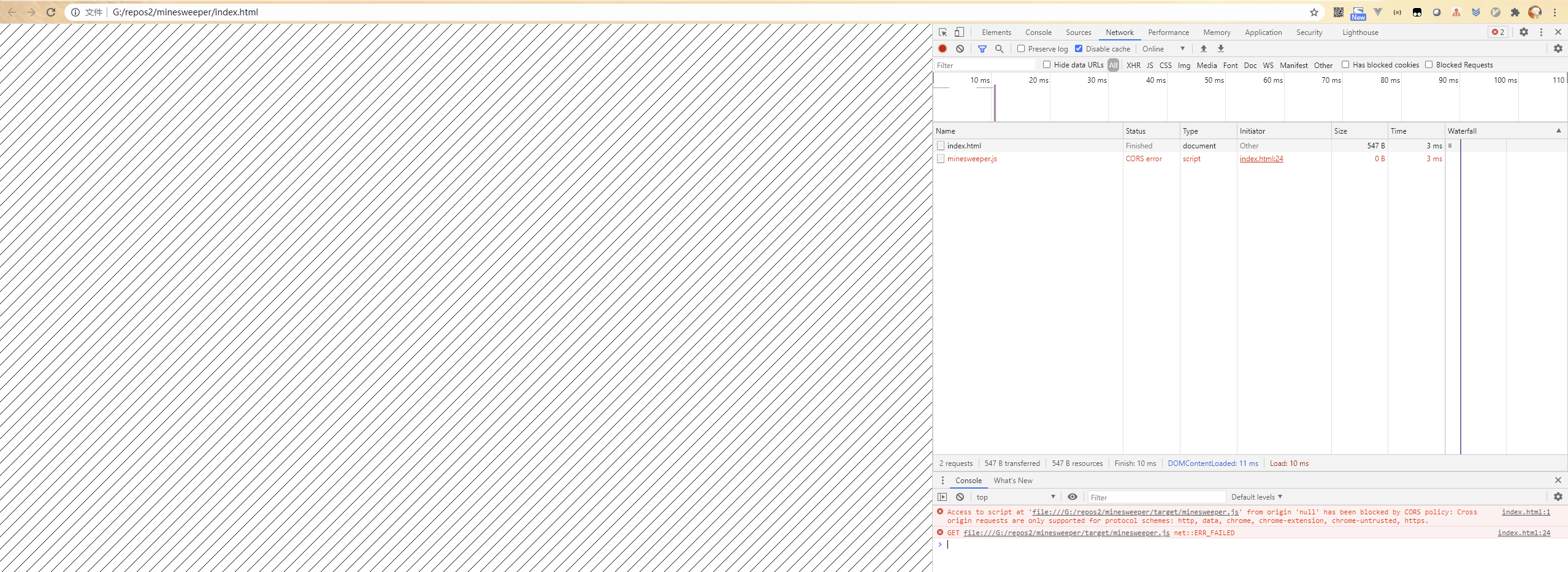
Oops, a beginner’s mistake—you must run a local HTTP server to load the JS file. If you have Python installed, you can do this quickly from the project root by running:
python -m SimpleHTTPServer
Then you can access the contents of your directory by visiting 127.0.0.1:8000 in your browser.
5
After starting the HTTP server, I was finally able to load the JS and wasm files, but I was still confused when I saw this error:
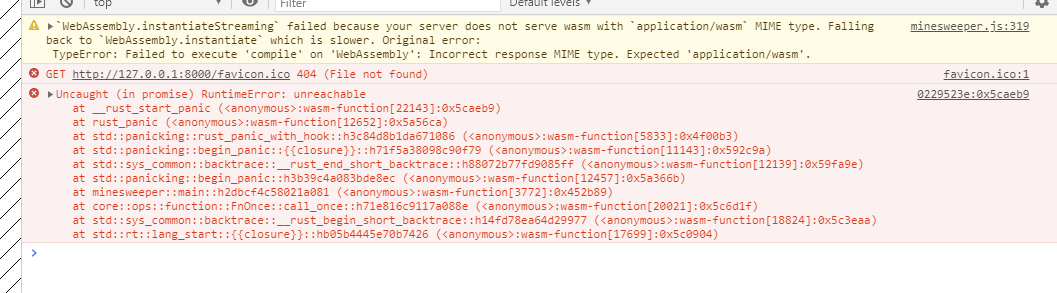
Nothing looked familiar, and clicking through just led to a huge chunk of assembly code. I decided to take a step back and look for clues. The only thing that stood out in the error message was this line: at minesweeper::main::h2dbcf4c58021a081 (<anonymous>:wasm-function[3772]:0x452b89), so I went to check the code for the main function:
fn main() {
    println!("Hello, minesweeper!");
    let args: Vec<String> = env::args().collect();
    let config_map: Vec<(usize, usize, usize)> = vec![(8, 8, 10), (16, 16, 40), (30, 16, 99)];
    let (width, height, mine_count) = match args.len() {
        1 => config_map[0],
        3 => config_map[args[2].parse().unwrap_or(0)],
        _ => {
            panic!("usage: ./minesweeper --level NUM")
        }
    };
    println!("{:?}-{:?}-{:?}", width, height, mine_count);
    game::game_app(game::GameConfig { width, height, mine_count });
}
What looked most suspicious was the part where I used env to get input arguments. After compiling to web, maybe those values aren’t available anymore? Anyway, I decided to comment that out and change the code to look like this:
fn main() {
    println!("Hello, minesweeper!");
    game::game_app(game::GameConfig { width: 30, height: 16, mine_count: 99 });
}
6
After recompiling and running wasm-bindgen, the webpage still showed nothing, but at least the error message had changed:
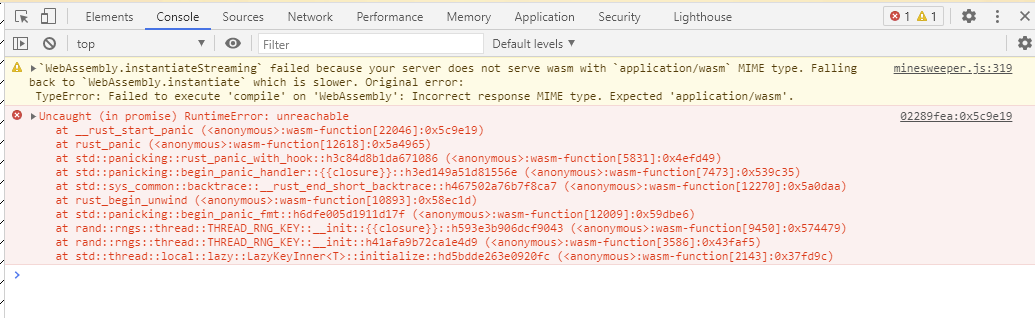
Again, I focused on the part I recognized. It looked like it was related to the rand crate, so I searched using the keywords rand::rngs::thread wasm. Turns out, this is yet another threads issue with wasm, which means the default config for the rand crate doesn’t work out of the box.
Depending on the version of the rand crate, the fix is different:
-
For
randversions 0.6.x and 0.7.x, you can addfeatures = ["wasm-bindgen"]to the dependency inCargo.tomlto enable wasm support. -
For newer versions (0.8.x and above), this functionality has moved into the
getrandomcrate, so you also need to add something like:
[dependencies]
getrandom = { version = "0.2", features = ["js"] }
A configuration statement like this.
I first tried the second method, but it didn’t seem to affect the 0.7.x version of the rand crate used inside Bevy. So I had to go with the first solution and downgrade my own rand dependency to match Bevy’s version. In the end, my Cargo configuration looked like this:
[dependencies]
rand = { version = "0.7.3", features = ["wasm-bindgen"]}
bevy = { version = "0.4.0", default-features = false, features = ["bevy_gilrs", "bevy_gltf", "bevy_winit", "render", "png", "hdr"] }
bevy_webgl2 = "0.4.3"
Luckily, all it took was updating the config—no need to change the main code, which made things pretty convenient.
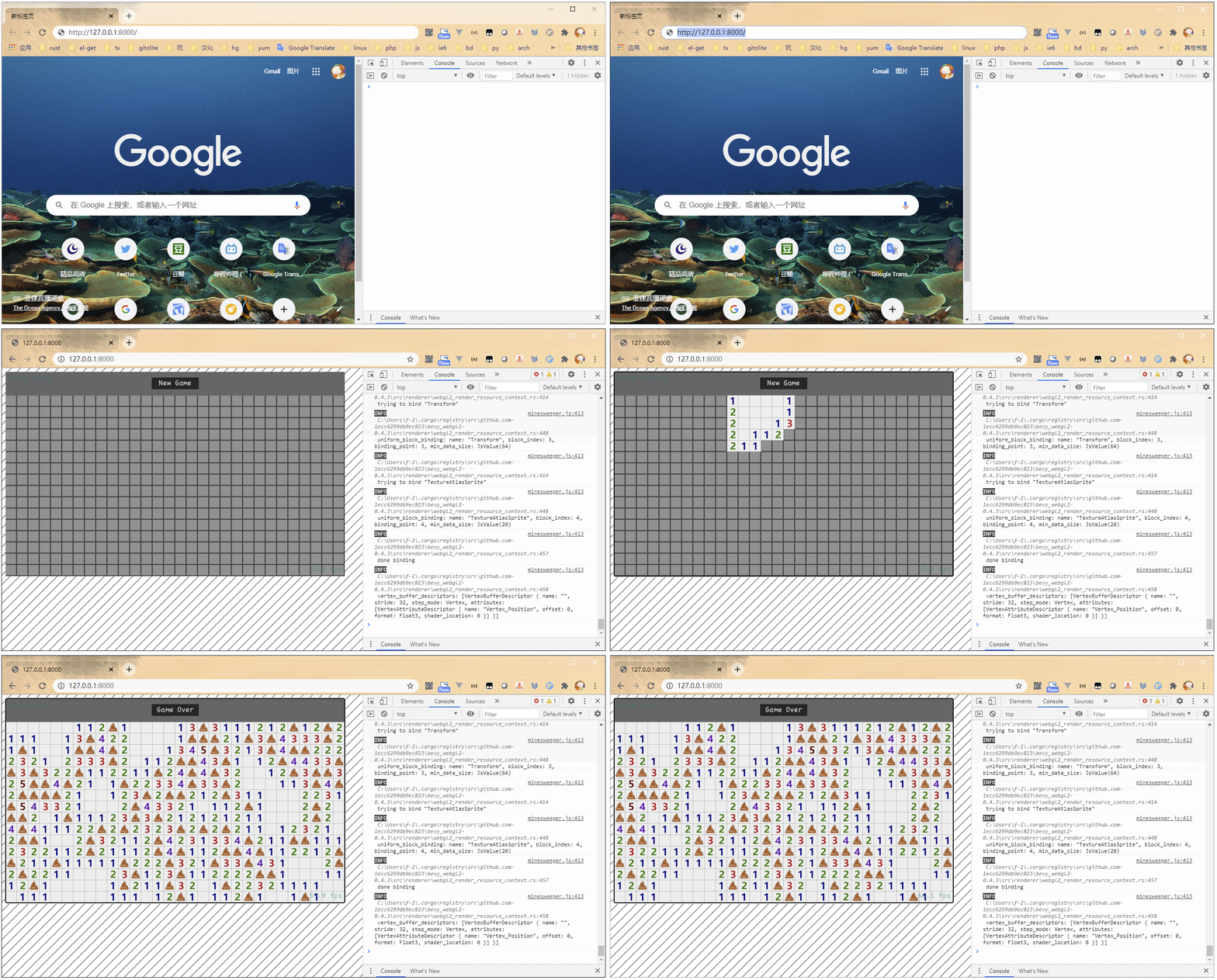
After recompiling, it finally worked!
Summary
If your computer isn’t powerful, the repeated compile times can get a bit annoying. Fortunately, I didn’t have this problem—I grabbed an AMD 5900x on JD.com during New Year’s :)